

Most districts don't lose public records disputes because the request was legally complicated. They lose because it sat in someone's inbox for nine days before anyone logged it, the statutory clock was already half-expired, and the person who finally picked it up had no idea which school even held the records.
Then comes the second failure: the response goes out with a student's full name visible in an email thread that never got redacted, and now there's a FERPA problem stacked on top of a late response. Both are operational failures, not legal ones. And both are fixable with a tight runbook.
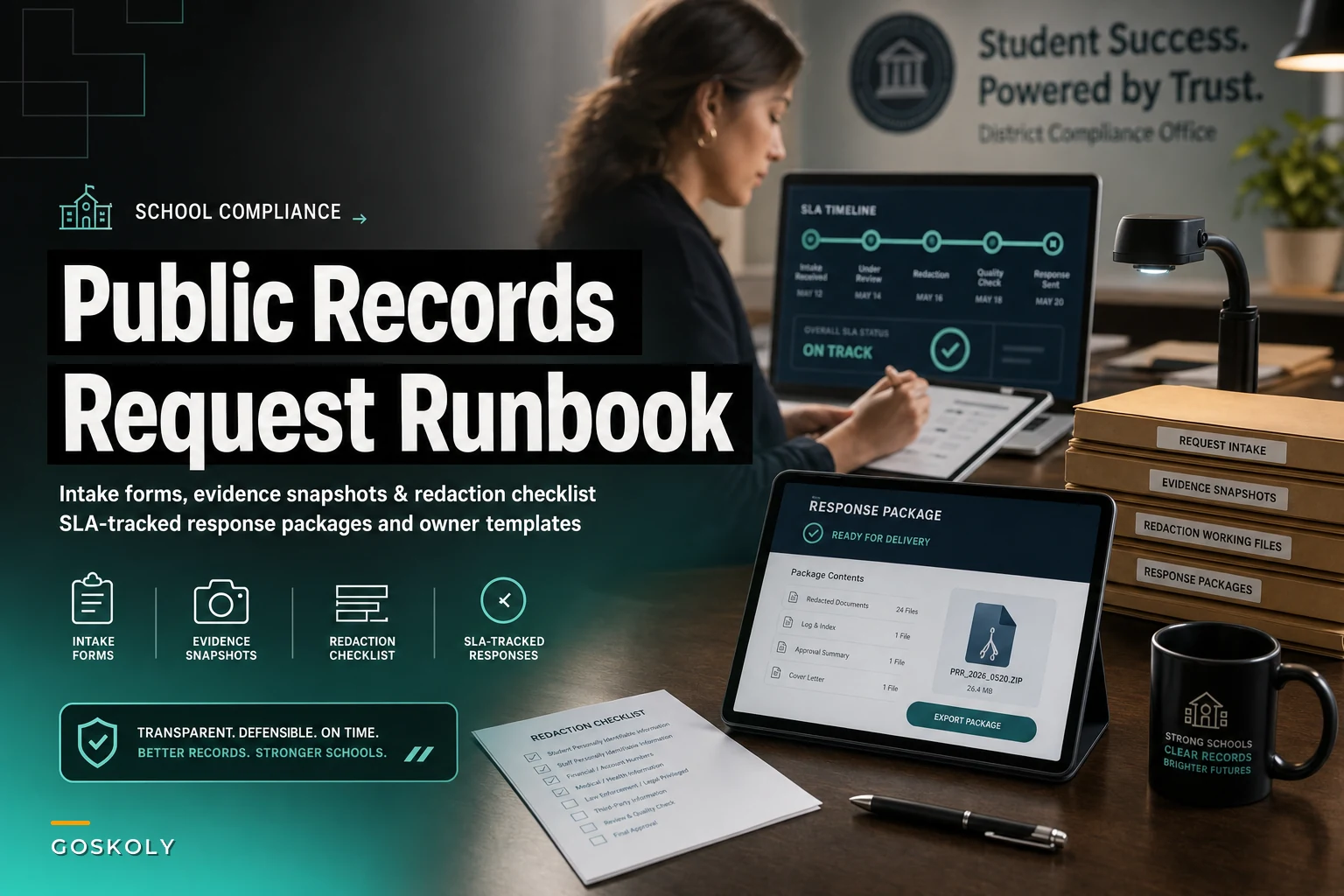
This is that runbook. It covers four stages — intake, evidence snapshot rules, redaction, and response package assembly — plus the SLA tracking and owner map that holds it all together.
Why these requests fall apart in the first place
Public records requests are unusual compared to most district operations because they arrive from the outside, on an external clock, often from someone who isn't friendly — sometimes a reporter or attorney specifically looking for a procedural slip.
The three recurring breakdowns:
-
No single intake point. Requests come in by email to a principal, a web form, a phone call to the front office, occasionally a paper letter. Nobody owns the aggregate, so the clock starts silently.
-
Scope creep in the search. The request says "all emails mentioning the stadium project between March and June." Someone searches three mailboxes instead of eleven, or uses the wrong date range, and the response is incomplete — which is its own legal exposure.
-
Redaction done by eyeball at the end. The person assembling the package reads through documents one by one looking for things to black out, under deadline pressure, which is exactly when mistakes happen.
These three problems compound. A late intake eats your buffer, which forces a rushed search, which forces a rushed redaction. Fix the intake timing and you buy yourself room everywhere downstream.
Stage 1: Intake that actually starts the clock
The intake form is the most undervalued part of this whole process. Done right, it captures everything you need to scope the search, assign an owner, and calculate the deadline — in one pass.
Eliminate administrative overload.
GoSkoly helps you manage schedules, attendance, and communications seamlessly.
- Unified student and staff management
- Automated attendance tracking
- Integrated communication tools
No credit card required
A good intake record captures:
-
Date and time received (not date logged — these are different, and the difference matters legally)
-
Channel it arrived through (email, form, phone, mail)
-
Requester identity and contact, plus whether they're media, legal, or general public
-
Verbatim request text, pasted exactly, not paraphrased
-
Interpreted scope — your plain-language restatement of what records are being asked for
-
Statutory deadline calculated from your state's response window
-
Assigned owner and any school/department custodians involved
The single most common intake mistake is paraphrasing the request into the log instead of pasting it verbatim. Six weeks later when there's a dispute about whether you answered what was asked, the paraphrase is worthless. Keep the original words, then add your interpretation as a separate field.
Auto-calculate statutory deadlines in the intake form to eliminate manual errors.
A useful discipline: the person who logs the request should not be the person who decides scope. Logging is clerical; scoping is judgment. When one person does both under time pressure, scope gets quietly narrowed to whatever is convenient to search.
Stage 2: Evidence snapshot rules
Once scope is set, you need a defensible, repeatable way to collect the records — and to prove later that you collected everything in scope. This is where most districts are weakest, because the search gets improvised each time.
The idea of a snapshot rule is simple: for a given record type, you define exactly where it lives, who can pull it, and what parameters get used. You write the rule once, reuse it forever.
| Record type | Source system | Pull parameters | Custodian owner |
|---|---|---|---|
| Staff email | Email/archive platform | Date range + keyword + named mailboxes | IT records custodian |
| Board materials | Board portal / shared drive | Meeting date range + agenda item | Board secretary |
| Student records | SIS | Student ID + record category | Registrar |
| Invoices / contracts | Finance system | Vendor + date range + PO number | Business office |
| Incident reports | Safety/discipline system | Date range + building | Campus admin |
The snapshot rule matters because it makes the search auditable. When someone later claims you withheld emails, you can show the exact mailboxes searched, the exact date range, and the exact keywords — and that the parameters matched the logged scope. An improvised search leaves you with nothing to point to.
One pattern worth copying: capture a short "search manifest" at the moment of the pull — who ran it, when, which parameters, how many items returned. A search that returns 4 documents when scope suggested 400 is a signal to stop and re-check before assembling anything. This kind of owner-mapped evidence collection follows the same logic that makes owner-mapped exports and automated evidence assembly work for audits — define the source and owner once, and the collection stops being a scramble.
The snapshot approach also forces an honest conversation about where records actually live. Districts that have never written these rules down usually discover, partway through a request, that three different people think they own the same category of document — and none of them have a complete set.
Stage 3: The redaction checklist
Redaction is where the legal exposure is highest, because over-disclosure can't be undone. Once a student's name or a protected record goes out, it's out.
Stop redacting by eyeball and start redacting by checklist. Before anyone touches a document, they should know the full list of categories that must be removed or withheld for this request type. Reviewing against a list is far more reliable than reviewing for anything that looks sensitive.
A baseline redaction checklist for K–12 records:
-
Student PII — names, IDs, DOB, addresses tied to education records (FERPA)
-
Staff personal data — home addresses, personal phones, SSNs, medical info
-
Minors in third-party content — kids named incidentally in emails or reports
-
Security-sensitive details — building access, camera placements, safety plan specifics
-
Attorney-client / work product — withheld, not redacted, with a logged basis
-
Health information — anything touching student or staff medical status
-
Financial identifiers — bank/routing numbers, personal account details
Something people consistently miss: redaction and withholding are different actions with different documentation requirements. Redaction removes content from a disclosed document. Withholding removes the whole document and requires you to log the legal basis — often in a separate exemption log. Mixing these up is how districts end up with no record of why they held something back.
Two more things that routinely cause problems:
-
Metadata and hidden content. Redacting the visible text of a spreadsheet does nothing if the data is still in a hidden column or a pivot cache. Flatten documents before release.
-
Email threads. A single message near the bottom of a long thread can contain the PII you missed up top. Threads need to be read fully, not skimmed from the newest reply.
For the broader context of how protected categories map to your data systems, the failures described in student data governance for K–12 are exactly the ones that surface during records requests — ungoverned data is hard to redact because nobody is sure what's in it.
Stage 4: Response package assembly and export templates
The final package should look the same every time, regardless of who assembles it. Consistency is a legal asset — it demonstrates a standard process.
A complete response package usually contains:
-
Cover letter stating what was requested, what's included, any fees, and any records withheld
-
The disclosed records, redacted and flattened
-
Exemption log listing any withheld or redacted items and the legal basis for each
-
Search manifest documenting what was searched (kept internally, produced if challenged)
-
Delivery record — how and when the package was sent, and to whom
Export templates are what keep this from being rebuilt by hand each time. The cover letter template has fixed sections with blanks for the request-specific details. The exemption log has a fixed structure: document reference, action taken, exemption cited. When these are templated, a package that used to take most of a day to format comes together in under an hour, and nothing structural gets forgotten.
Districts that resist templating usually do it because they think every request is different enough to warrant starting fresh. Some are — but the structure of the package almost never is. Template the container, customize the content inside it.
SLA tracking and owner responsibilities
The clock is what quietly kills you. A request with a statutory 10-business-day window doesn't fail on day 10 — it fails on day 4, when nobody realizes it's been sitting untouched.
Build SLA tracking around interim milestones, not just the final deadline:
| Milestone | Target (of total window) | Owner |
|---|---|---|
| Logged + scope set | By 15% elapsed | Records coordinator |
| Snapshots pulled | By 50% elapsed | Custodian owners |
| Redaction complete | By 75% elapsed | Compliance reviewer |
| Legal review (if needed) | By 85% elapsed | District counsel |
| Package delivered | Before 100% | Records coordinator |
Tracking milestones instead of a single deadline means a slip at one stage is still recoverable if you catch it early. If snapshots aren't pulled by the halfway mark, you know now that redaction and review are going to be tight — and you can pull in help, or send a lawful extension notice before you're out of time, not after.
Clear owner responsibilities matter just as much. The recurring dysfunction is diffuse ownership: the coordinator thinks the custodian is pulling records, the custodian thinks legal is reviewing, and the request just drifts. Name a single accountable owner for the whole request — usually the records coordinator — who is responsible for the deadline even when other people are doing the work. Everyone else contributes to a step; one person owns the outcome.
[Request Received] → [Intake Logged + Scope Set] → [Snapshot Rules Applied] → [Redaction Checklist Run] → [Package Assembled] → [Legal Review if Needed] → [Delivered + Delivery Record Filed]
Visual workflow of the milestone-tracked process:
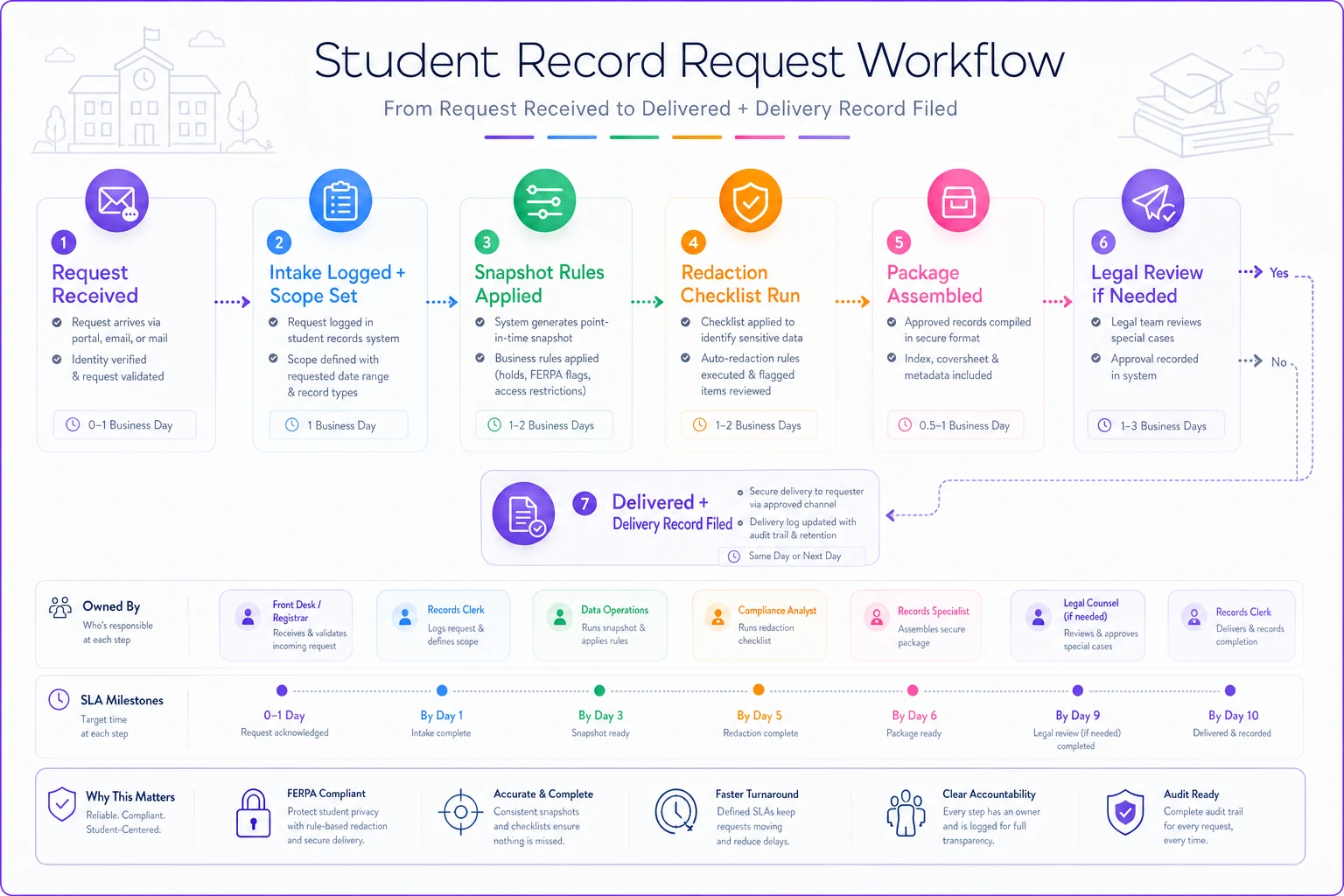
Each handoff should be explicit, not assumed — and the accountable owner should be tracking the whole chain, not just their piece.
A real scenario
A mid-sized district — around a dozen schools — was handling roughly 8 to 12 records requests a month, mostly routine but with occasional media requests clustered around board decisions.
Before: intake was scattered across building front offices and the superintendent's email. Requests were typically logged 3 to 6 days after arrival. Over the course of a year they'd missed the statutory deadline on several requests and had one incident where a student's name went out unredacted in a forwarded email chain. Each package took most of a day to assemble from scratch.
The fix wasn't complicated: a single intake point capturing verbatim text and auto-calculating the deadline, written snapshot rules per record type, a standing redaction checklist, and milestone-based SLA tracking with one accountable owner per request.
After: logging happened same-day. Milestone tracking meant slips got caught early enough to send lawful extension notices instead of blowing deadlines. The redaction checklist caught the incidental-minor-in-a-thread problem before release more than once. Package assembly dropped to under an hour because the cover letter and exemption log were templated. Missed deadlines the following year: zero.
None of that required new legal expertise. It required moving the work out of inboxes and into a defined process.
When a formal runbook is overkill — and when it isn't
If your district gets two or three simple requests a year and one person handles all of them, a full milestone-tracked system is more overhead than it's worth. Keep the intake log and the redaction checklist; skip the elaborate SLA matrix.
The runbook becomes genuinely worth building when:
-
You're getting more than a handful of requests a month
-
Requests routinely touch multiple schools or departments
-
You've had at least one late response or over-disclosure incident
-
Media or legal requesters show up regularly
Districts that have already had a disclosure incident should not be relying on a loose, informal process. Once a student's protected data has gone out by mistake, "we'll be more careful" is not a control. A checklist and an exemption log are.
The whole point of a records request runbook is to convert a high-stakes, deadline-driven, legally exposed task into a boring, repeatable one. Boring is the goal. When intake starts the clock on day zero, when the search follows a written snapshot rule, when redaction runs against a checklist instead of someone's tired judgment, and when an owner is watching milestones rather than the final deadline — the request stops being a fire drill.
Start with the two cheapest changes: a single verbatim intake point, and a standing redaction checklist. Those two alone will prevent most of the late responses and most of the over-disclosures. The snapshot rules, export templates, and milestone tracking build on top of that foundation and turn a reliable process into a fast one.
Ready to optimize your school operations?
Join hundreds of schools using GoSkoly to save time, improve collaboration, and enhance student outcomes.