
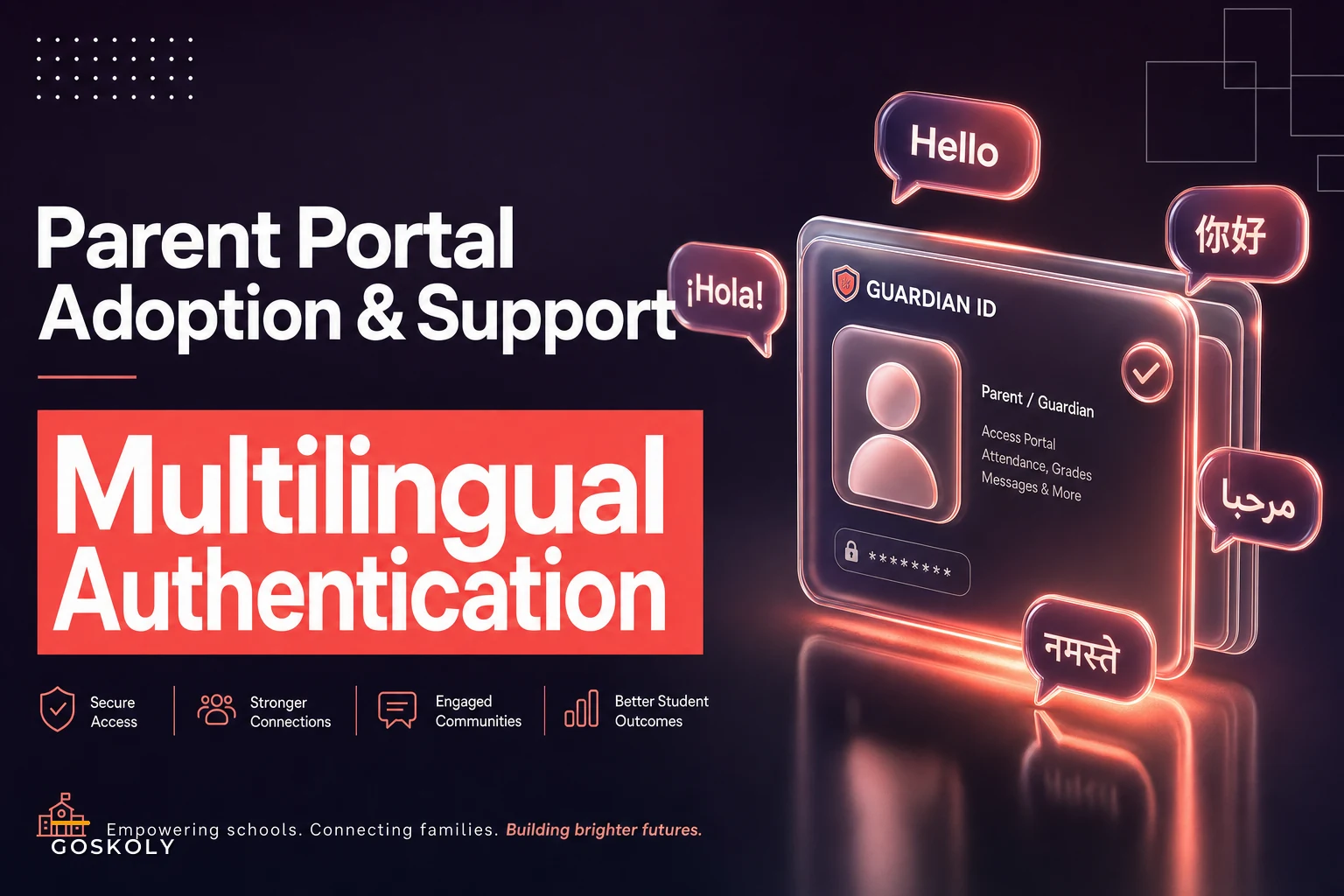

Most parent portals don't fail at launch. They fail around week two.
The rollout email goes out, activation spikes for a few days, then the numbers flatten. By the second grading period, a district that spent months configuring gradebook visibility, lunch balances, and attendance notifications is watching maybe a third of families actually log in. The rest call the front office, forward emails to a cousin who "does computers," or just wait for the paper report card.
The gap between accounts created and accounts actually used is where parent portal adoption K-12 quietly dies. And in most districts, the reasons are boringly operational — not a lack of interest from families.
This piece stays narrow on purpose. It's about the adoption funnel, the authentication failures that break it, the translation and accessibility gaps that lock families out, and the support templates you need so the front office isn't guessing at resolution times. No broad "engagement strategy" — just the mechanics that decide whether a parent gets in and stays in.
The adoption funnel nobody actually measures
Districts track "portal accounts created." That number is nearly useless on its own. What matters is the funnel underneath it, and most schools have never mapped it.
-
Invited — family received a working activation link or code
-
Activated — account created, password set
-
Verified — email or phone confirmed, so password resets work later
-
First meaningful action — viewed grades, attendance, or messages at least once
-
Returning — logged in again within 30 days
The drop-off almost never happens where administrators assume. When you break down the numbers across a typical elementary building, the biggest leak isn't "families who don't care." It's the gap between Invited and Activated, and then a second cliff between Activated and Verified.
A realistic picture from a mid-sized building of about 620 students:
| Funnel stage | Households | % of invited |
|---|---|---|
| Invited | 580 | 100% |
| Activated | 410 | 71% |
| Verified | 295 | 51% |
| First meaningful action | 260 | 45% |
| Returning within 30 days | 190 | 33% |
Notice the verification cliff. Roughly 115 households activate an account but never confirm their email or phone. That means when they forget their password — and they will — the self-service reset is dead on arrival. They're forced to call the office, which is exactly the manual load the portal was supposed to eliminate.
The insight most teams miss: verification isn't a technical checkbox, it's the single point that determines whether a family can ever recover their own account. Treat it as a core adoption metric, not a backend detail.
Where authentication actually breaks
If you only fix one thing, fix the login path. The vast majority of "the portal doesn't work" tickets are authentication problems wearing different costumes.
Eliminate administrative overload.
GoSkoly helps you manage schedules, attendance, and communications seamlessly.
- Unified student and staff management
- Automated attendance tracking
- Integrated communication tools
No credit card required
-
Duplicate contact records. A parent exists twice in the SIS — once from kindergarten registration, once from a re-enrollment — and the activation link binds to the stale record. They log in and see none of their kids.
-
Email mismatch. The activation email went to an address the parent stopped using two years ago, or to the student's email because that's what was on file.
-
Shared phone numbers across households. Two guardians share one number, the SMS code lands on one phone, and the second guardian is permanently locked out of self-service reset.
-
Guardian-of-record confusion. A non-custodial parent has portal access they shouldn't, or a custodial grandparent has none.
-
Password reset dead-ends. Unverified accounts can't reset, so every reset becomes a phone call.
A duplicate-contact problem upstream turns into a login problem downstream. If you've already tackled roster and record cleanup, this is the same battle showing up in a new place.
An authentication troubleshooting playbook front-office staff can actually follow
-
Confirm identity first. Match the caller to a guardian record using two data points (student name + DOB, or address). Never reset based on a name alone.
-
Check for duplicate guardian records. If two contact records exist, this is almost certainly the root cause. Flag it for merge before touching the password.
-
Verify the email/phone on file is one the caller controls. If not, update it after identity confirmation, then trigger a fresh verification.
-
Check verification status. If the account was never verified, resend verification — don't just reset the password, or you'll be back here next month.
-
Reset only after 1–4. A reset on a broken record just recreates the problem.
-
Log the root cause category, not just "resolved." This is how you find the systemic issues.
Use this flow as the front-office decision path.
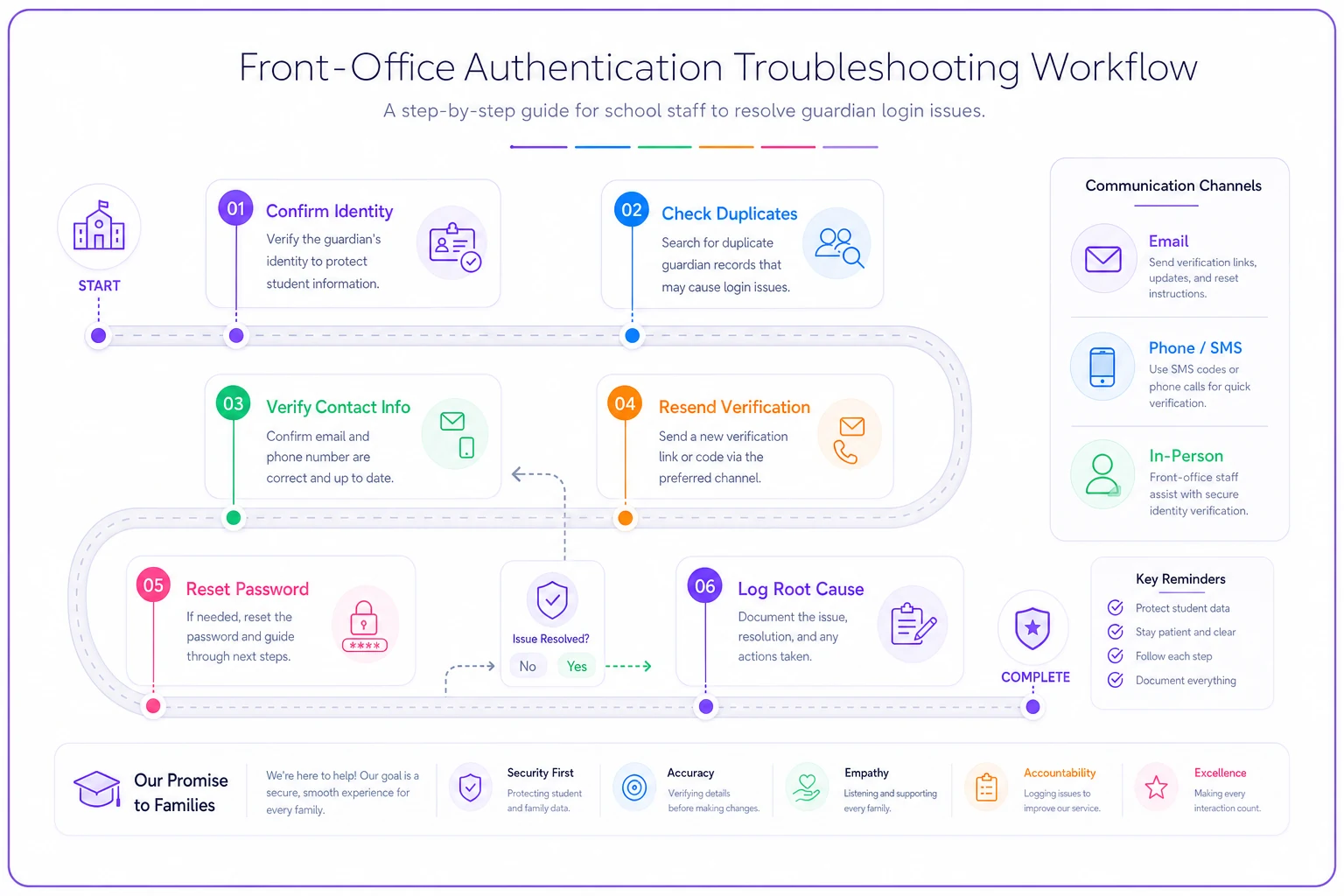
That last step matters more than it looks. When staff log why a login failed — duplicate record, wrong email, unverified — you stop treating symptoms. Within a few weeks you'll see that, say, 40% of your login tickets trace back to duplicate guardian records, and suddenly you have a data-cleanup project with a clear payoff instead of an endless ticket queue.
Translation and accessibility: the silent adoption killers
Districts with large multilingual communities often see their lowest portal adoption in exactly the families the portal could help most — and then interpret it as disengagement. It's not disengagement. It's that the activation email arrived in English, the password field errors appeared in English, and the "verify your account" step used vocabulary that doesn't translate cleanly.
-
Activation and reset emails sent only in English
-
Error messages ("token expired," "invalid credentials") left untranslated
-
SMS verification texts in English only
-
PDF attachments (report cards, forms) that no translation layer touches
-
Date and name formats that confuse families used to different conventions
Accessibility gaps stack on top of this. Screen-reader users hit unlabeled form fields on the login page. Parents on older phones can't complete a multi-step verification that assumes a modern browser. Low-vision users can't read a CAPTCHA. Each one is a small percentage of families — but they compound, and they concentrate in the households least likely to call for help.
A workflow for closing the language and access gaps
First, translate the failure points, not the features. Every message a family sees when something goes wrong — activation errors, reset instructions, verification texts — gets translated before you polish the dashboard. A parent who can read the error can self-recover. A parent who can't will abandon.
Second, translate in the languages your enrollment data shows, not the top ten globally. Pull home-language flags from the SIS and translate to match your actual community. If 22% of families speak Spanish and 6% speak Vietnamese, those two carry more adoption weight than a dozen rarely-used options.
Third, test with a real device, not a spec sheet. Have a bilingual staff member run the full activation flow on an older Android phone in the target language. You'll find broken characters, cut-off buttons, and untranslated fields that no audit document catches.
Start by translating error and recovery messages in the top languages your SIS shows — that's where you'll see the biggest adoption gains.
Translation quality on error and recovery messages moves adoption more than translating the homepage ever will. Families don't abandon because the dashboard is in English. They abandon because they got stuck and couldn't read how to get unstuck.
SLA-backed support paths so "we'll look into it" stops being the answer
The fastest way to kill portal trust is inconsistent support. A parent calls, gets told "someone will call you back," and never hears anything. That parent doesn't file a second ticket — they just stop using the portal and go back to paper.
Support for a parent portal needs the same discipline you'd apply to any operational system. If you've built a cross-system responsibility matrix with clear ownership for emergency communications, apply the same logic here: every support category needs a named owner and a promised resolution window.
A workable SLA structure for portal support:
| Issue type | First response | Resolution target | Owner |
|---|---|---|---|
| Password reset (verified account) | Same day | Same day | Front office |
| Login failure (duplicate/record issue) | 1 business day | 3 business days | SIS/data lead |
| Translation error report | 2 business days | 5 business days | Portal admin |
| Accessibility barrier | 1 business day | 5 business days | Portal admin + IT |
| Missing student linkage | Same day | 2 business days | Registrar |
Support templates that actually reduce repeat contacts
Templates only help if they resolve the underlying issue, not just close the ticket. A few that pull real weight:
-
"Your account isn't verified yet" message — sent proactively to households sitting in that verification cliff, with a one-tap re-verify link in their home language.
-
"We found two accounts under your name" script — for front-office staff, walking through identity confirmation before a merge.
-
"Here's how to add your other child" guide — the missing-linkage problem accounts for a surprising share of "the portal is broken" complaints from multi-kid families.
-
Reset confirmation with next steps — not just "password reset," but "here's how to log in and where to find grades," cutting the follow-up call.
The point isn't the exact numbers. It's that families get a promise instead of a shrug, and staff know which bucket a call belongs in the moment it comes in.
When this level of effort makes sense — and when it doesn't
When it's worth building the full funnel + SLA + translation stack: any district where portal data is meant to replace paper communication, where you have a meaningfully multilingual community, or where front-office call volume is already a staffing pressure. If the portal is your primary channel for grades, attendance, and messaging, the adoption funnel is your communication reliability.
When it's overkill: a small building with a highly connected, single-language community and low portal dependence. If families are already at 80%+ returning use and the office fields two portal calls a week, you don't need a five-tier SLA. Fix the obvious login issues and move on.
Who should not start here: if your underlying guardian records are a mess — duplicates everywhere, stale contacts, unclear custody flags — don't launch an adoption campaign yet. You'll funnel more families into broken accounts and generate the exact ticket flood you're trying to prevent. Clean the records first, then drive adoption.
A real scenario: the verification cliff, fixed
A K-8 district of roughly 3,100 students had "launched" its portal the prior year and considered it done. Accounts created looked healthy — around 85% of households. But returning use hovered near a third, and the front office was fielding somewhere between 60 and 80 portal calls a week, most of them password resets.
When they mapped the funnel, the problem was obvious: close to 1,000 households had activated but never verified an email or phone. Every one of them was a future support call, because self-service reset couldn't work.
The fix wasn't glamorous. They ran a targeted re-verification push — messages in Spanish and English sent to unverified households only, with a single-tap verify link — and they cleaned up around 300 duplicate guardian records that had been binding activation links to the wrong accounts. They also gave the front office the fixed troubleshooting path above and started logging root-cause categories.
Over the following two months, weekly portal calls dropped to somewhere around 20–25, and returning-within-30-days use climbed into the mid-50s percent range. Nothing about the portal software changed. What changed was the funnel discipline, the verification recovery, and the record cleanup underneath it.
Where operational tooling quietly helps
None of this requires fancy technology — but a few pieces are painful to do by hand at scale. Spotting households stuck at the verification stage, matching duplicate guardian records before they break logins, and routing support tickets to the right owner with a resolution clock are exactly the kinds of repetitive tasks where a workflow platform with light automation earns its keep. Automated detection of unverified accounts, duplicate-record flagging, and SLA timers on support tickets remove the manual guessing without adding a system parents ever have to think about.
The goal isn't more software in front of families. It's less friction — fewer broken logins, faster resolutions, and messages families can actually read.
Bringing it together
Parent portal adoption K-12 isn't won with a launch email. It's won in the unglamorous middle — the verification step nobody measures, the untranslated error message, the duplicate record that quietly breaks a login, the support ticket that vanishes without a resolution time attached to it.
Map the funnel so you know where families actually drop. Fix authentication at the record level, not one reset at a time. Translate the failure points before the features. Back your support with real SLAs so "we'll look into it" is never the answer a family walks away with.
If you're rolling this out alongside a broader staff ramp-up, tying portal support responsibilities into a structured role-based onboarding plan with clear competency milestones keeps the front office from reinventing the troubleshooting path every time someone new picks up the phone. The families you most want in the portal are usually the ones with the least patience for a second failed login — get the mechanics right, and adoption follows.
Ready to optimize your school operations?
Join hundreds of schools using GoSkoly to save time, improve collaboration, and enhance student outcomes.