

Most observation systems fall apart at the same spot. Not during the observation itself — that part usually goes fine. A principal sits in the back, types some notes, and leaves with a reasonable sense of what happened. The breakdown comes later, when those notes have to become something: a coaching conversation, a PD priority, a formal evaluation artifact, a district trend report. That's where everything collapses into a pile of inconsistent documents nobody can actually use.
This post is about that specific failure — the gap between "I observed the lesson" and "this observation produced something useful" — and how a tighter classroom observation workflow K-12 fixes it.
The part everyone gets wrong: free-text notes that don't map to anything
Walk into most schools and you'll find observation notes stored in three or four formats at once. Some admins type into a shared doc. Some use the state evaluation tool only during formal cycles. Some jot things on a legal pad and transcribe later (or don't). A few use a Google Form that dumps responses into a spreadsheet nobody opens again.
The problem isn't the tool. It's that none of those notes are mapped to anything. An AP writes "great questioning technique, kids engaged" and moves on. Six weeks later, the PD lead asks a completely reasonable question: "Across our 40 observations this fall, where are teachers strongest and weakest on the instructional rubric?" Nobody can answer it, because "great questioning technique" was never tied to a rubric domain, a competency level, or a score. It's just a sentence sitting in a doc.
This usually happens because the observation and the rubric live in two different mental spaces. The rubric comes out once a year for formal evaluations. The informal walkthroughs — which are more frequent and arguably more useful — happen in plain prose. So you end up with a huge volume of observation data that can't roll up into anything.
The fix is a structural decision: every note field gets attached to a rubric competency at the moment it's written, not reorganized after the fact.
Structured note templates that force the mapping up front
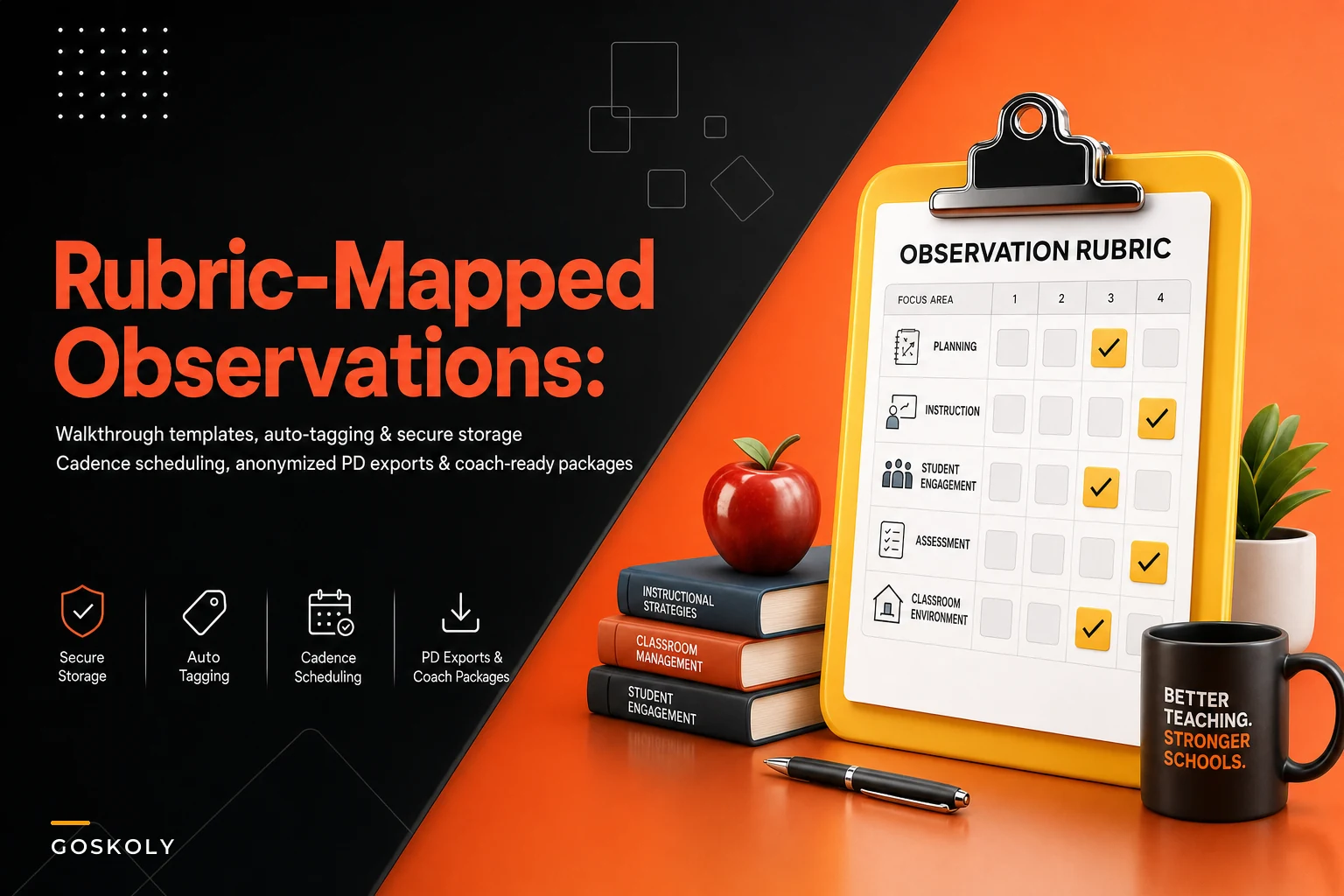
The cleanest observation templates don't give you a blank box. They use the rubric domains as the structure of the note itself. If your framework has five domains — planning, classroom environment, instruction, questioning/discussion, assessment-in-the-moment — your walkthrough template has five sections, each with a quick-select competency level and a short free-text field underneath.
Eliminate administrative overload.
GoSkoly helps you manage schedules, attendance, and communications seamlessly.
- Unified student and staff management
- Automated attendance tracking
- Integrated communication tools
No credit card required
In an unstructured note, the observer decides what to write about. In a rubric-mapped template, the observer writes against the rubric, so evidence lands in a known slot automatically.
A typical structured entry looks like this:
-
Domain Questioning & Discussion
-
Observed level Developing (2 of 4)
-
Evidence "Teacher asked 6 recall questions in 10 min, 1 open-ended. Called on 4 students, all hands-up volunteers."
-
Tagged competency 3b — Using questioning and discussion techniques
That last line is the whole point. The note is now machine-sortable and human-readable at the same time. Later you can pull every "3b" observation across the building and see a real pattern instead of a vague impression.
A few things that separate templates that work from templates that get abandoned:
-
Keep free-text short and evidence-based. The box should ask for observable facts ("3 of 24 students off-task during transition"), not judgments. Judgments go in the level selector.
-
Pre-load the competency tags. Nobody should be typing "3b" manually. The template should surface the tags for your framework automatically.
-
Limit required fields. A 12-minute walkthrough can't fill out a 9-domain form. Let observers skip domains they didn't see and mark them "not observed" rather than guessing.
One pattern worth flagging: when templates require a score for every domain on every walkthrough, observers start inventing scores for things they didn't actually watch. That's worse than no data. A good template makes partial observations legitimate.
Pre-load competency tags so observers select rather than typing them.
When templates require guessing, the data degrades; make partial observations legitimate instead.
Scheduling cadence: the thing that quietly determines whether any of this works
You can have perfect templates and still produce garbage data if the cadence is wrong. Two failures come up constantly.
The first is front-loading. An admin team realizes in April they're behind on observations and crams 30 walkthroughs into two weeks. Notes get thin, scores drift toward "proficient" across the board, and the data is clustered in a way that tells you nothing about growth over time.
The second is uneven coverage. Three teachers get observed six times because they're easy to drop in on, and eleven teachers get observed once. Your rubric data is now skewed, and the PD priorities you pull from it reflect who got watched, not what's actually happening instructionally.
A workable cadence usually looks something like this:
| Observation type | Frequency | Duration | Who | Feeds into |
|---|---|---|---|---|
| Informal walkthrough | Every 3–4 weeks per teacher | 10–15 min | Admin team, rotating | Rubric trend data, coaching |
| Focused look-for cycle | Monthly, building-wide theme | 10 min | All observers, same domain | PD priority identification |
| Formal observation | Per evaluation calendar | Full lesson | Assigned evaluator | Summative evaluation |
| Peer/instructional coach | As needed | Varies | Coach | Remediation follow-up |
The exact numbers will shift based on your contract and staffing. Different observation types serve different purposes and shouldn't be collapsed into one. The informal walkthrough cadence is what builds usable trend data; the formal cycle is mostly compliance. Schools that treat all observation as "the formal process" never develop the frequent, low-stakes data set that actually drives PD decisions.
A simple rotation rule helps with coverage: assign each observer a roster slice and track last-observed dates. When a teacher hasn't been seen in 30 days, they surface to the top of the queue. This is the kind of coordination that benefits from automation handling reminders and queue-sorting — so the admin team isn't manually scanning a spreadsheet every Monday morning to figure out who's overdue.
Anonymized summary exports for PD leads
There's a tension here that rarely gets acknowledged. Observation data is most useful in aggregate to the PD lead — but the PD lead often shouldn't see which individual teacher scored what, especially where observation is supposed to feel formative rather than evaluative.
The practical answer is an anonymized summary export: a report showing rubric performance across a grade band, department, or building without attaching names to scores.
A PD lead planning fall professional development doesn't need to know that Ms. Alvarez scored "developing" on formative assessment. They need to know that across 14 observations in the 6th grade team, formative assessment-in-the-moment is the lowest-scoring domain, with 9 of 14 observations landing at "developing" or below. That's an actionable signal, and it protects individual teachers.
A solid anonymized export typically includes:
-
Domain-level score distribution across the selected group
-
Observation count (so nobody over-reads a sample of three)
-
Trend across the last 2–3 cycles, if available
-
Common evidence themes, stripped of identifying detail
What it should not include: small-cell data that re-identifies people. If a department has four teachers and the report shows one "unsatisfactory" in a domain, everyone can figure out who it is. A reasonable rule is to suppress any breakdown where the group is smaller than five, or roll small departments up to a larger band. If you're building out reporting like this, it's worth checking School Performance Analytics: Avoid These KPI and Reporting Pitfalls — small-cell re-identification is one of the quieter mistakes that trips up even experienced admin teams.
Tracked remediation items: where observations usually go to die
The most common waste in the entire observation process isn't the notes — it's the follow-up that never happens. An admin identifies something in a walkthrough ("transitions are eating 8–10 minutes a period"), mentions it in a hallway conversation, and then nothing. No tracked item, no follow-up date, no evidence of whether anything changed.
A remediation item has to be a real, tracked object. At minimum it needs:
-
The specific competency it's attached to (so it links back to rubric data)
-
A concrete action ("try a timed transition routine, observe again in 3 weeks")
-
An owner — usually the teacher, sometimes paired with a coach
-
A follow-up observation date
-
A status (open / in progress / resolved / escalated)
When remediation items are tracked as discrete objects with follow-up dates, you can actually answer "did the coaching work?" If most transition-related items get resolved after one follow-up cycle, your coaching model is functioning. If they sit open for months, something in the support chain is broken.
A pattern worth watching: items without a follow-up date almost never get followed up. The date field isn't bureaucratic overhead — it creates the next observation. When a platform can surface "these 6 remediation items are due for follow-up this week," the loop actually closes instead of quietly disappearing into someone's inbox.
Coach-ready export packages
Instructional coaches usually get handed observation data in the worst possible format: either nothing, or a raw score sheet with no context. Neither helps them walk into a coaching conversation prepared.
A coach-ready export package is a bundle built for a single teacher and a single purpose. It pulls together, in one document:
-
The teacher's rubric trend across recent observations (which domains are improving, which are flat)
-
Specific evidence notes tied to the focus competency
-
Open remediation items and their history
-
Suggested look-fors for the next observation
Instead of a coach spending 30–40 minutes digging through scattered notes before a meeting, they open one package and walk in ready. In a building with a dozen active coaching relationships, that prep time adds up — easily several hours a week redirected to actual coaching instead of document archaeology.
A short real scenario
A mid-sized middle school — around 540 students, roughly 40 instructional staff, three admins doing observations — had the classic version of this problem. They were running plenty of walkthroughs (somewhere around 90–100 informal observations across the fall) but storing them in a mix of docs and a Google Form. When the PD lead tried to plan winter professional development, there was no way to aggregate anything. PD priorities ended up chosen by gut feel.
They moved to rubric-mapped templates with a simple monthly cadence and anonymized department rollups. The observation volume stayed roughly the same. What changed was usability. Within one cycle they could see that questioning/discussion and formative assessment were consistently the two lowest domains across the building. Winter PD got built around exactly those two, instead of a generic "engagement" workshop. Tracked remediation items tied to those domains showed a meaningful portion resolving within two follow-up cycles.
No dramatic transformation. The real outcome was that observation data finally fed decisions, and the admin team stopped rebuilding the same aggregation from scratch every time someone asked a question.
When this level of structure makes sense — and when it doesn't
When it's worth it:
-
You're running frequent informal walkthroughs and want them to add up to something
-
A PD lead needs aggregate, defensible signals to plan professional development
-
You have coaching staff who need prepared, teacher-specific context
-
You're trying to show growth over time, not just complete a compliance checklist
When it's probably overkill:
-
A very small school doing a handful of formal observations a year with nothing informal — the overhead of mapping and exporting won't pay for itself
-
A building where the observation culture is still raw enough that any structure feels punitive; fix the trust problem first
Who should not jump straight into this: schools that haven't aligned on a shared rubric yet. If three administrators interpret "proficient" three different ways, structured templates will just encode that inconsistency more efficiently. Rubric norming comes first. This is really a competency-definition problem, and the same logic behind clear role-based competency milestones in onboarding applies here — if the levels aren't defined the same way across observers, the data underneath is shaky no matter how clean the workflow looks.
Pulling it together
The observation itself was never the hard part. Everything downstream is: mapping evidence to competencies, keeping cadence even and well-distributed, giving PD leads aggregate signals without exposing individuals, tracking remediation so it actually closes, handing coaches something usable before they walk in the door.
Here's a simple workflow image idea to illustrate how templates, cadence, anonymized rollups, remediation tracking, and coach packages connect.
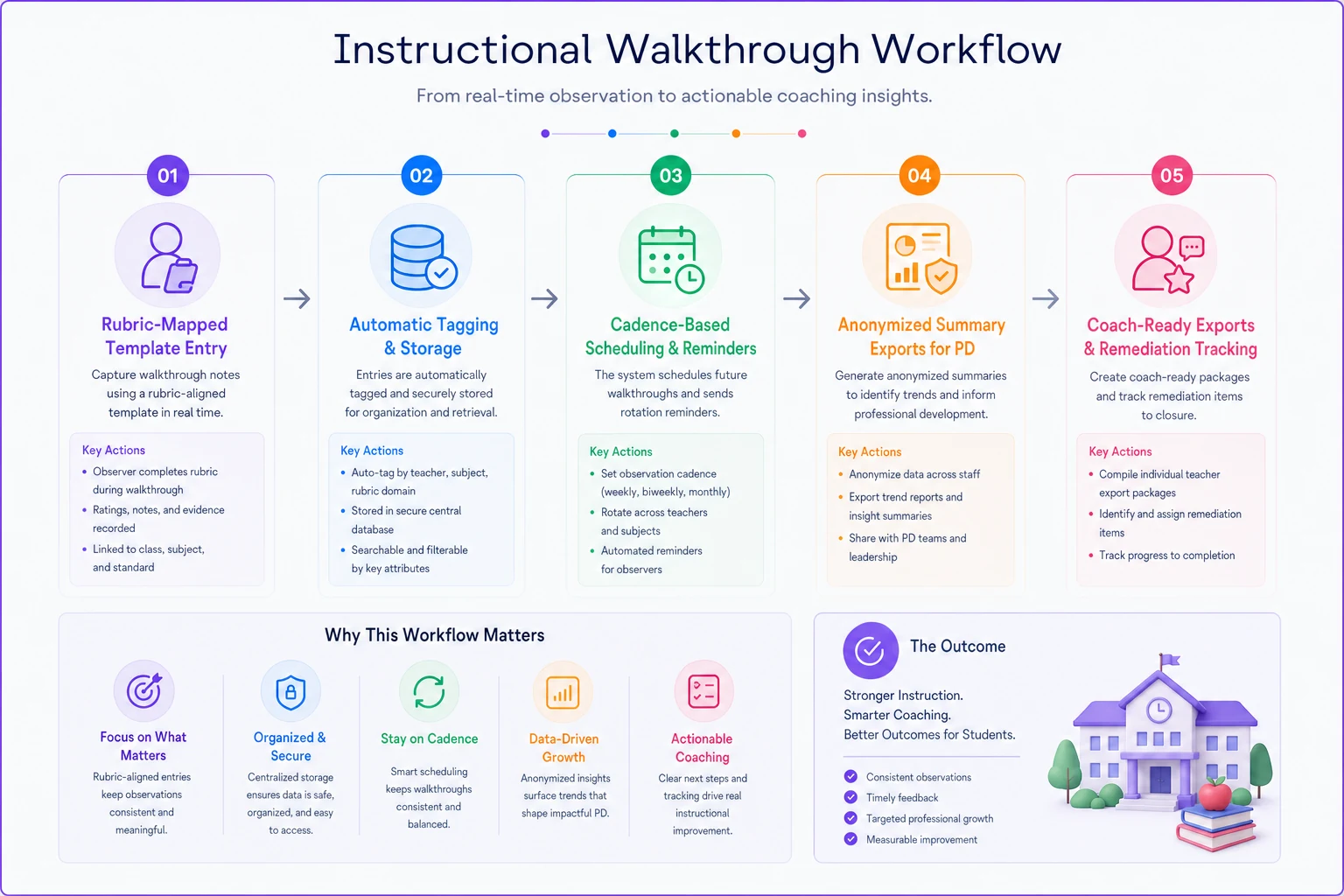
Each of those is a small operational discipline. Together they turn observation from a pile of notes into a system that tells you where instruction is strong, where it's weak, and whether your support is actually moving things. Start with the templates — map every note field to your rubric. Fix the cadence next so coverage is even. The anonymized rollups, remediation tracking, and coach packages all get dramatically easier once the underlying notes are structured, because at that point you're sorting and filtering data that already means something.
Each of those is a small operational discipline. Together they turn observation from a pile of notes into a system that tells you where instruction is strong, where it's weak, and whether your support is actually moving things. Start with the templates — map every note field to your rubric. Fix the cadence next so coverage is even. The anonymized rollups, remediation tracking, and coach packages all get dramatically easier once the underlying notes are structured, because at that point you're sorting and filtering data that already means something.
Ready to optimize your school operations?
Join hundreds of schools using GoSkoly to save time, improve collaboration, and enhance student outcomes.