

Most district system rollouts don't fail because the software is bad. They fail somewhere between the vendor demo and the third week of go-live, when front office staff are still doing things the old way, counselors never got trained on the module they actually use, and nobody knows who to call when attendance sync breaks at 7:45 AM.
A rollout is not a training event. It's a change to how a few hundred people do their jobs every day, across buildings that don't share the same routines, staffing levels, or comfort with technology. Districts that get this right treat it like an operations problem — with owners, triggers, and measurable adoption — not a communications problem you solve with a kickoff email and a laminated quick-reference card.
This playbook covers role-based learning paths, a pilot structure designed to produce real signal, adoption KPIs that actually reflect behavior, and support runbooks with rollback triggers tied to actual SLA owners.
Why district rollouts stall in the same three places
The failure points repeat with almost boring consistency. It's rarely one dramatic collapse. It's three quiet stalls.
The first is the "trained everyone the same way" problem. A district buys a new SIS or attendance platform, schedules a district-wide PD day, walks all 400 staff through the same 90-minute deck, and calls it training. A registrar who needs deep enrollment workflows gets the same shallow overview as a PE teacher who only needs to take attendance. Both leave underserved. One is overwhelmed, the other is bored, and neither can actually do their job in the new system on Monday.
The second is the pilot that proves nothing. The pilot runs at one motivated school with a tech-forward principal and three enthusiastic teachers. Everything works. Leadership greenlights the full rollout — and then discovers the pilot never touched the hard cases: the campus with high staff turnover, the bilingual front office, the special education documentation flows, the building where half the staff share two computers.
The third is the support vacuum. Go-live happens, tickets pour in, and there's no clear ownership. A counselor emails the principal, who forwards it to the assistant superintendent, who loops in IT, who says it's a vendor issue. Four days later the original problem is still open and the counselor has gone back to a spreadsheet. Once people revert mid-rollout, getting them back is expensive.
The through-line: rollouts break at the seams between roles, buildings, and support ownership — not in the software itself.
Start with role-based learning paths, not a training calendar
The single highest-leverage change you can make is to stop thinking about "training the district" and start thinking about training roles. Different roles touch completely different parts of the system, at different depths, on different timelines.
Eliminate administrative overload.
GoSkoly helps you manage schedules, attendance, and communications seamlessly.
- Unified student and staff management
- Automated attendance tracking
- Integrated communication tools
No credit card required
A registrar might live in enrollment, scheduling, and state reporting fields all day. A classroom teacher needs attendance, gradebook, and maybe a parent-message function — nothing else. An assistant principal needs discipline workflows and reporting. A district data lead needs the export and integration layer. Training them identically wastes everyone's time and guarantees weak adoption where it matters most.
A role-based learning path breaks down like this:
| Role | Core modules they own | Training depth | Go-live readiness bar |
|---|---|---|---|
| Registrar / front office | Enrollment, roster edits, state fields | Deep, hands-on | Can process a full new-student enrollment unassisted |
| Classroom teacher | Attendance, gradebook, parent messaging | Narrow, task-focused | Takes attendance + posts a grade in under 2 minutes |
| Counselor | Scheduling, student records, notes | Medium | Runs a schedule change + documents it correctly |
| Assistant principal | Discipline, reporting, dashboards | Medium | Pulls a discipline report and interprets it |
| Data / IT lead | Exports, integrations, monitoring | Deep, technical | Validates a state submission end-to-end |
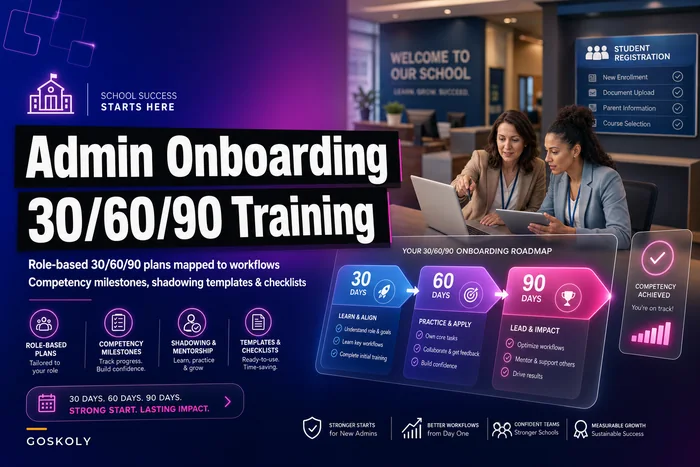
Notice the last column. Every path ends in a competency milestone, not attendance at a session. "Sat through training" is not readiness. "Processed a real enrollment without help" is. This distinction is where a lot of rollouts go soft, and it connects directly to how you'd structure any role-based ramp — the same logic behind a well-run role-based 30/60/90 onboarding plan with competency milestones. You're not measuring exposure. You're measuring capability.
One practical thing that pays off: build a short "day one workflow" for each role — the literal three or four things that person must do on the first live morning — and make the training end there, not at feature coverage.
One practical thing that pays off: build a short "day one workflow" for each role — the literal three or four things that person must do on the first live morning — and make the training end there, not at feature coverage.
People don't need the whole system on go-live day. They need their Monday morning to work.
Designing a pilot that actually produces signal
A pilot exists to surface the problems you can't see from a vendor demo. So a pilot at your easiest school is worse than no pilot at all, because it generates false confidence.
-
Include at least one high-turnover or short-staffed building. If the system works there, it works. If it collapses when the front office is running lean, you need to know before 30 schools go live.
-
Include the messy workflows on purpose. Special education documentation, dual enrollment, mid-year transfers, students with complex schedules. These are where systems break. A pilot that only processes clean, standard students has tested nothing.
-
Include a bilingual or multilingual front office if you have one. Parent-facing and staff-facing language handling is a common late-stage surprise.
-
Include a skeptic. A pilot user who doesn't want to change will find the friction your enthusiasts smile past.
-
Run the pilot across a real cycle, not a demo week. At minimum, through one full attendance week, one grading checkpoint, and one reporting event — problems cluster around those events, not random Tuesdays.
A pilot should have an exit decision defined before it starts: what specifically has to be true to proceed, pause, or pull back. Otherwise the pilot always "succeeds," because nobody defined what failure looked like.
-
90%+ of pilot teachers taking attendance in the new system without reverting
-
Under a defined ticket volume per building per day by week three
-
Zero unresolved data-integrity issues affecting state fields
-
Front office able to process enrollment end-to-end unassisted
If those aren't hit, you don't expand. You fix, then re-pilot. Expanding a broken pilot just multiplies the mess across more buildings.
Adoption KPIs that mean something (and the ones that lie to you)
Most rollout dashboards track the wrong things. "Number of accounts created" tells you the vendor provisioned logins. It tells you nothing about whether anyone uses the system to do real work.
The KPIs that actually predict a successful rollout are behavioral and workflow-based:
-
Active workflow completion, not logins. Percent of teachers taking attendance in the system daily. Percent of enrollments processed in-system vs. on paper. This catches the silent revert — people who log in, poke around, then go back to the spreadsheet.
-
Time-to-task. How long it takes a registrar to complete an enrollment this week vs. last week. If it's still climbing at week four, training didn't land.
-
Support ticket trend and resolution time. Volume matters less than the slope. Tickets should spike at go-live and decline steadily. A flat or rising line two weeks in means something structural is wrong.
-
Reversion rate. How many users went back to old methods after starting. Most districts never track this — which is exactly why it's the best predictor of failure.
-
Data-integrity error rate. Duplicate records, missing state fields, mismatched IDs. A rollout that looks "adopted" but is generating dirty data is going to blow up at reporting time.
Leadership loves a green dashboard, and account-creation and PD-attendance numbers make a beautiful green dashboard while adoption is quietly failing. Choose leading indicators of behavior, and make reversion rate a first-class metric. It's uncomfortable to track, which is exactly why it's useful.
Support runbooks and rollback triggers tied to real owners
This is the part districts skip and regret. A rollout needs a support structure that exists before go-live, with named owners, response expectations, and a clear escalation path. Without it, every problem routes through whoever's most senior and least available.
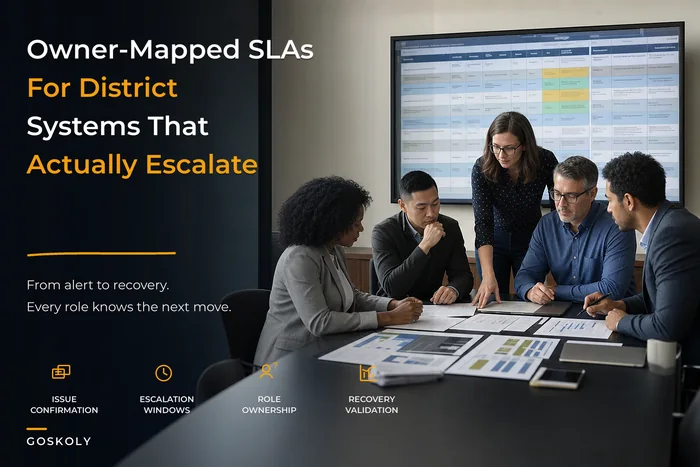
A support runbook answers, for each type of problem: who owns it, how fast they respond, what the workaround is, and when it escalates. Ownership maps to specific people and systems — not to a generic "IT will handle it." This is the same discipline as running a real owner-mapped SLA and cross-system responsibility matrix — you decide the owner before the crisis, not during it.
A workable support tier structure:
-
Tier 0 — building super-user. Every pilot and rollout building has one trained person who handles routine "how do I" questions locally. This absorbs somewhere around 60–70% of go-live questions and keeps them out of the ticket queue.
-
Tier 1 — district help desk. Handles configuration, access, and workflow issues the super-user can't. Defined response window, tracked resolution time.
-
Tier 2 — data/IT lead. Integration, sync, and data-integrity issues. Owns anything touching state reporting fields.
-
Tier 3 — vendor. Escalated only through a single district owner, so the vendor relationship doesn't become chaos.
Then the part almost nobody defines up front: rollback triggers. These are pre-agreed conditions under which you pause or reverse the rollout, each tied to an SLA owner who has the authority to pull the trigger.
-
Attendance data fails to sync for more than a defined window during the school day → data/IT lead owns the call
-
State-reporting field integrity drops below threshold → data lead pauses expansion
-
A building's ticket volume stays above the pilot threshold for three consecutive days → rollout lead pauses that building
-
Parent-facing communication breaks → communications owner triggers fallback process
This diagram shows the support escalation and rollback decision workflow.
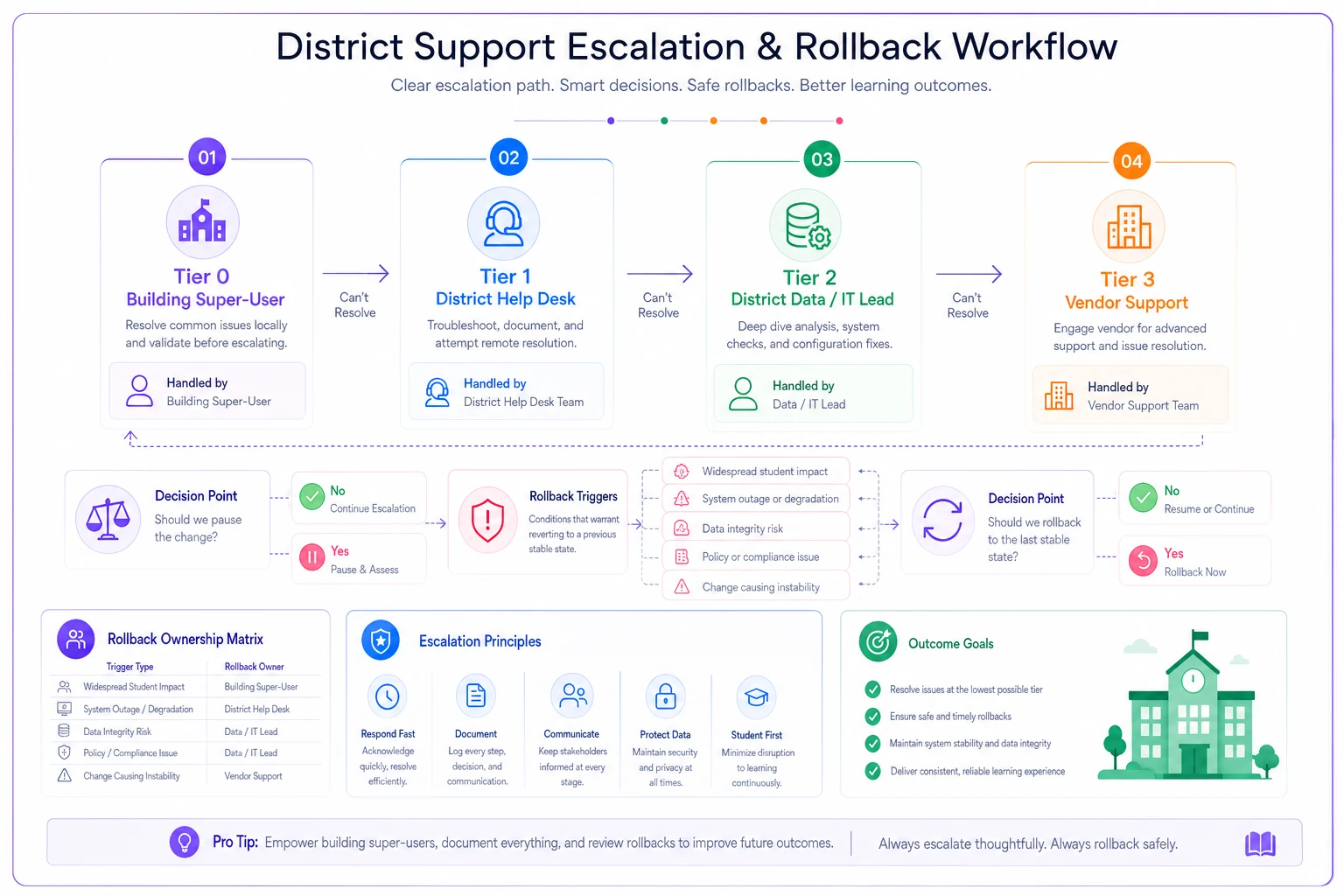
The point of a rollback trigger isn't to expect failure. It's to remove the emotional, political hesitation from the decision. When "should we pause?" is a pre-defined threshold owned by a specific person, you pause fast and cheap instead of debating for a week while the problem compounds.
When a full rollout makes sense — and when it doesn't
Not every district is ready to move fast, and pushing a rollout onto an unready operation is how you generate the reversion problem at scale.
A phased, pilot-first rollout makes sense when: you have building-level super-users you can train, defined role-based workflows, someone who owns adoption KPIs, and leadership willing to honor a rollback trigger instead of overriding it politically.
A rollout is a bad idea right now when: your data is already dirty going in — roster duplicates, mismatched IDs, missing state fields — you have no support ownership defined, or you're rolling out during your heaviest operational window. The first two weeks of school or a state reporting deadline are the wrong times to go live. Clean the data and define the owners first, or the rollout will surface every existing problem at the worst possible moment.
Who should not attempt a big-bang, all-buildings-at-once rollout: any district without a tested support runbook, and any district that can't name who owns the rollback decision. Big-bang works only when the operation is genuinely uniform and well-supported, which in K-12 is rare.
A short real scenario
A mid-sized district — around 14 schools, roughly 9,000 students — moved to a new attendance and SIS platform. Their first attempt was the classic version: one district PD day, big-bang go-live across all buildings, support handled ad hoc.
Two weeks in, teacher attendance completion in the system was somewhere in the 55–60% range. The rest had quietly gone back to paper and hand-entering later, which meant attendance data was late and unreliable right when they needed it clean. Front office staff at the higher-turnover campuses were overwhelmed, tickets were piling up with no clear owner, and leadership was staring at a dashboard showing 100% of accounts created — a perfectly green number sitting on top of a failing rollout.
They stopped, which was the right call. On the redo, they built role-based paths with actual competency checks, ran a real pilot at three buildings including their most short-staffed one, stood up building super-users, and wrote rollback triggers tied to named owners. By the time they re-expanded, in-system attendance completion was up into the low 90s within the first couple of weeks. Ticket volume declined on schedule instead of climbing. Reversion mostly stopped because people's Monday mornings actually worked in the new system.
The software was identical in both attempts. The only thing that changed was the change management around it.
The takeaway
A district system rollout is an operations problem wearing a training-day costume. The districts that succeed treat it as one: they train roles to real competency milestones, design pilots to expose the hard cases instead of flattering the easy ones, measure behavior and reversion instead of logins, and pre-define support ownership and rollback triggers so that when something breaks — and something always breaks — a specific person acts fast instead of a committee deliberating for four days.
Get those seams right, and the rollout mostly takes care of itself. Skip them, and you'll spend the next semester coaxing people out of the spreadsheets they never really left.
A district system rollout is an operations problem wearing a training-day costume. The districts that succeed treat it as one: they train roles to real competency milestones, design pilots to expose the hard cases instead of flattering the easy ones, measure behavior and reversion instead of logins, and pre-define support ownership and rollback triggers so that when something breaks — and something always breaks — a specific person acts fast instead of a committee deliberating for four days.
Get those seams right, and the rollout mostly takes care of itself. Skip them, and you'll spend the next semester coaxing people out of the spreadsheets they never really left.
Ready to optimize your school operations?
Join hundreds of schools using GoSkoly to save time, improve collaboration, and enhance student outcomes.