

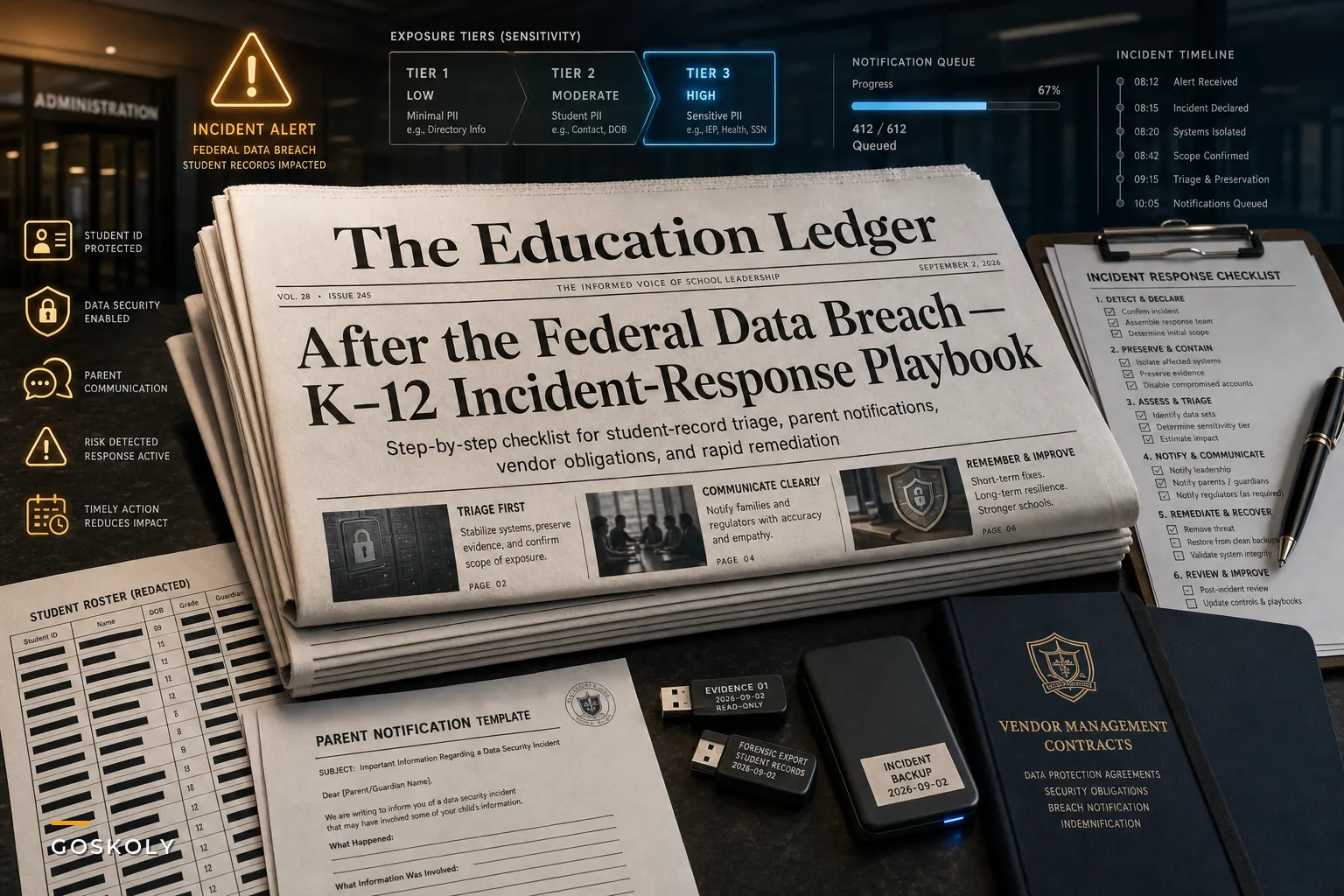

When Reuters reported that a ransomware group had accessed a U.S. federal agency's systems and exposed investigation-related data in late August, most IT departments probably read that headline and moved on. Federal agency problem, not ours. Except it is. A mid-sized district carries a data profile that looks nearly identical to what these groups target: sensitive, poorly segmented, rarely encrypted at rest. Names, birthdates, SSNs buried in legacy records, IEP diagnoses, free-and-reduced-lunch status, custody arrangements, health flags. Districts are softer targets than most federal networks, and the data is just as valuable.
So instead of treating that headline as someone else's problem, treat it as a rehearsal cue. The question isn't whether your incident-response plan exists somewhere. It's whether the people who'd have to execute it at 6:40am on a Tuesday actually know the first five moves. Most don't. This is the checklist and the operational thinking behind it.
Start From the Assumption That Your Plan Will Fail Under Pressure
Districts that "have a plan" and districts that can actually execute one are two completely different populations. The plan usually lives in a shared drive, was last touched during a compliance review, and references a vendor contact who left a year and a half ago.
When a real incident hits, the failures at the outset are almost never technical. They're coordination failures. Someone notices something — a flood of failed logins, a locked-out finance user, a weird outbound traffic alert — and nobody's sure who's allowed to pull a machine off the network, who calls legal, or whether disconnecting the SIS breaks the state reporting deadline due Friday.
That hesitation is where a small incident becomes a large one. The 30–90 minutes lost to "who do I even call" is often the difference between isolating a compromised segment and watching lateral movement reach the student records database.
First principle: your response plan should be built around decisions people can make quickly without permission-seeking, not around a perfect technical playbook.
The First 72 Hours: A Sequenced Response
Speed matters, but sequence matters more. Doing the right things in the wrong order — notifying parents before you've confirmed scope, for example — creates legal exposure and panic you'll spend weeks cleaning up. Here's a realistic sequence.
Eliminate administrative overload.
GoSkoly helps you manage schedules, attendance, and communications seamlessly.
- Unified student and staff management
- Automated attendance tracking
- Integrated communication tools
No credit card required
-
Contain, don't investigate first. Isolate affected systems from the network. Do not power them off — you'll lose volatile forensic evidence still sitting in memory. This trips up a lot of well-meaning IT staff who instinctively shut the machine down.
-
Activate the incident commander role. One named person owns decisions for the duration. Not a committee. In small districts this is often the IT director; the point is that it's assigned before the incident, not chosen during it.
-
Preserve evidence and start a timeline log. Every action, timestamp, who took it. This log becomes your audit spine later, and regulators will ask for it.
-
Engage legal and your cyber-insurance carrier immediately. Most policies require notification within a tight window — often 24–72 hours — or coverage gets contested. This is the step districts forget until the claim gets denied.
-
Scope the exposure. What data classes were touched? Whose records? This determines your notification obligations under FERPA and your state's breach law, which vary considerably.
-
Draft — but hold — parent and staff notifications. Prepare them early so you're not writing under pressure, but don't send until scope is confirmed. A retracted or corrected breach notice is its own crisis.
-
Coordinate external communications. One spokesperson, one message. Staff should know not to speculate to parents in pickup lines.
Public notification sits at step six, not step one. The instinct to "get ahead of it" by communicating fast is understandable and usually wrong. You cannot un-send a notice that named 4,000 families when only 600 were actually affected.
Why Notification Is the Part That Goes Sideways
The technical containment usually gets handled — districts have IT staff, or they have a managed provider who does. Where things reliably fall apart is the communication layer. Specifically, having to tell parents something accurate, in multiple languages, without triggering a flood of calls the front office can't absorb.
Consider the volume problem. A district of 8,000 students might have 12,000–15,000 parent contacts. If even 8% of families call back with questions after a breach notice goes out, that's roughly a thousand calls landing on a front office staffed by three people. The phone system melts. Parents who can't get through assume the worst. Local news picks up "district won't answer parents about data breach." Now you're managing a reputation problem on top of a security one.
This is why the notification workflow needs to be pre-built, templated, and tiered before you ever need it. What tier of parent gets which message depends on what data was actually exposed. A parent whose child's directory info leaked needs a different letter than one whose child's IEP or health records were touched. Trying to segment those audiences manually, during a crisis, from a spreadsheet, is exactly where mistakes pile up.
A tiered notification model
| Exposure tier | Data involved | Notification urgency | Channel |
|---|---|---|---|
| Tier 1 | Directory info only (name, grade) | Standard, within legal window | Email + portal notice |
| Tier 2 | SSN, DOB, address, contact records | Priority, individual notice | Email + mailed letter + call log |
| Tier 3 | Health, IEP, custody, disciplinary | Immediate, individualized | Mailed letter + direct call + support line |
| Staff | Payroll, SSN, banking | Priority, individual | Email + HR direct contact |
Building this table before an incident turns a frantic judgment call into a lookup. Your team isn't debating who to tell — they're matching exposed records to a tier and executing the corresponding template.
The Deeper Problem: You Can't Respond to What You Can't Map
Every incident-response plan quietly assumes something that's often not true: that you know where your sensitive data lives and who can access it. In practice, most districts have student data scattered across the SIS, several SaaS vendors, a couple of Google Drives, an old on-prem server nobody's decommissioned, and a stack of shared spreadsheets individual staff created for convenience and then forgot about.
When a breach happens, the scoping step — figuring out what was actually exposed — takes days instead of hours because nobody has a current map. You end up interviewing staff to reconstruct where copies of the FRL roster ended up. That's not a security operation; it's archaeology.
This same weakness shows up in slow audits, botched state submissions, and duplicate records. It all traces back to weak data ownership and lineage. We've written about this in depth in our breakdown of student data governance failures and how to fix them, and the connection to breach response is direct: a district that already knows its data map can scope an incident in an afternoon. A district that doesn't will spend the first week just figuring out what it lost.
A few governance moves that pay off when things go wrong:
-
Maintain a live data inventory that lists each system, the data classes it holds, and a named owner.
-
Kill shadow copies. Every ad-hoc spreadsheet of student data is an unmonitored breach surface.
-
Enforce least-privilege access and review it quarterly, not annually.
-
Tag records by sensitivity so your notification tiering is queryable, not manual.
-
Log access to sensitive tables so "what was touched" is answerable from logs, not guesswork.
None of this is glamorous. It's also the kind of work that only feels urgent after a bad Monday morning.
Where Automation Actually Earns Its Keep
Most of incident response is judgment and human coordination — no tool replaces that. But some pieces are genuinely mechanical and error-prone under stress, and those are worth automating ahead of time.
The scoping-to-notification handoff is the obvious one. If your systems can already tag records by sensitivity and tie them to guardian contacts, generating the correct tiered notification list becomes a filtered query rather than a weekend of manual spreadsheet work. The workflow looks roughly like this:
Confirmed exposure scope ↓ Segmentation rule applied (match records to sensitivity tier) ↓ Guardian contact set pulled per tier ↓ Notification template merged and queued ↓ Front office receives call list (Tier 2 & 3) + logged record of all notifications sent
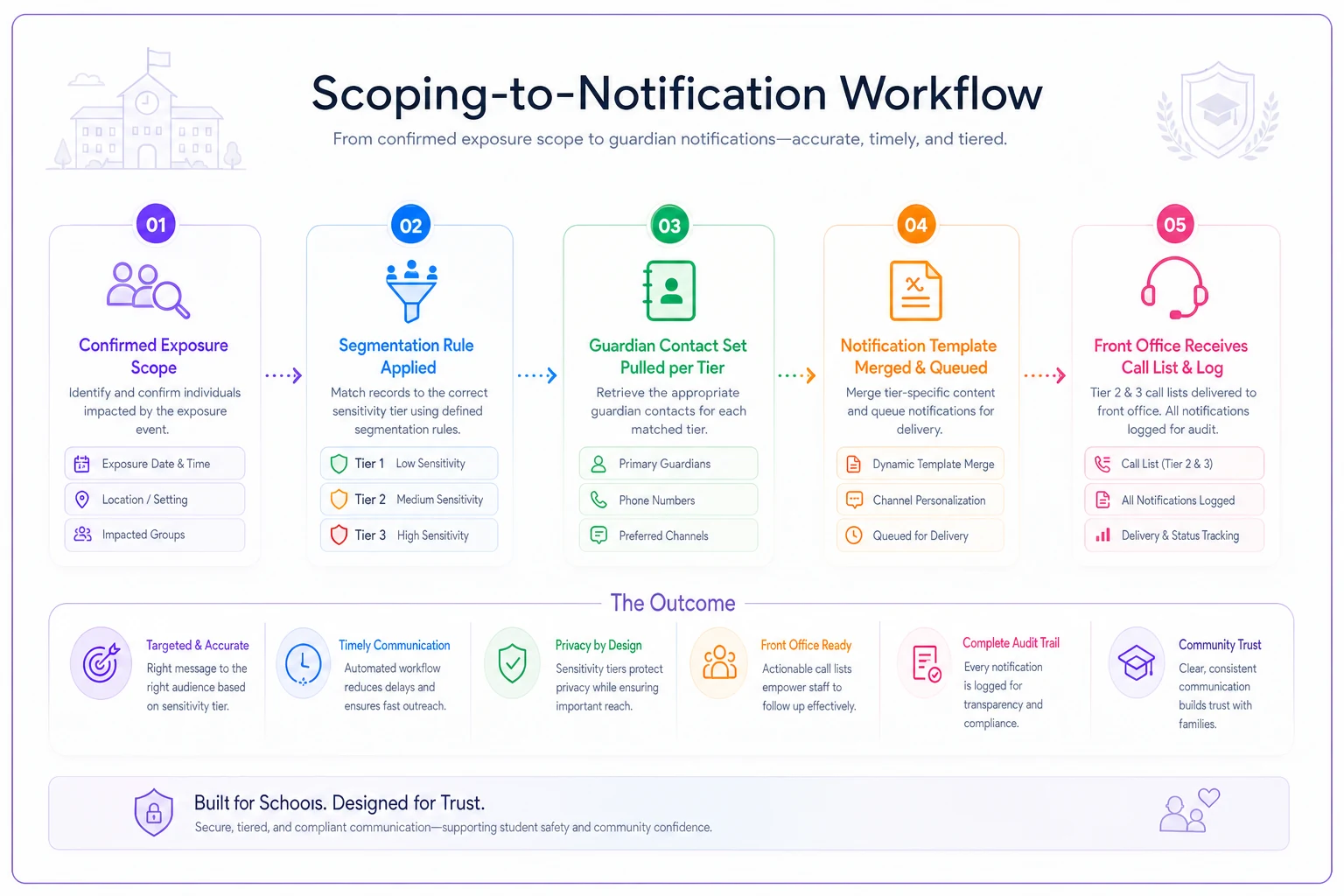
That log matters as much as the notification itself. Operational platforms that centralize student records and communications let you produce an auditable trail — exactly who was notified and when — which is what regulators and your insurance carrier will demand afterward. Reconstructing that from email sent-folders is miserable and always incomplete.
Automate the scoping-to-notification handoff so notification lists are generated from tagged records, not spreadsheets.
The point isn't to buy software so you feel prepared. The two genuinely slow steps under pressure — scoping exposure and executing accurate, tiered, logged notifications — are the ones worth removing manual friction from before you need them. Everything else is still a human decision.
A Realistic Scenario
A suburban district of around 6,500 students discovers on a Monday morning that a phishing-compromised staff account was used to access a shared drive containing an old enrollment export — roughly 2,100 student records including SSNs and DOBs from prior years.
Without preparation, this district's likely path: two days to figure out which records were in the export, another day debating notification language with counsel, a mailed notice that overshoots and alarms families whose kids weren't affected, and a front office buried in calls with no script. Estimated remediation, credit-monitoring, and legal spend lands somewhere in the $40k–$70k range, plus weeks of reputational cleanup.
With a data map and pre-built notification tiers, the same district scopes the export against a tagged inventory by end of day one, confirms exactly 2,100 affected families, generates a Tier 2 list, and sends individualized notices within the legal window. The support line is staffed with a prepared FAQ. Total inbound call volume stays manageable because the notice actually answers parents' questions. The incident is real, the cost is not zero — but it stays contained, and there's a clean audit trail for the carrier.
The difference between those two outcomes has almost nothing to do with the breach itself. It's entirely about what existed before Monday morning.
When to Run a Tabletop — and When You're Not Ready For One
Tabletop drills are probably the highest-leverage preparation activity available, but they only work if you've done the groundwork first.
Run a tabletop when you have an assigned incident commander, a rough data inventory, and notification templates drafted. The drill will expose the gaps between those documents and reality — which contact is stale, which decision nobody's actually authorized to make, which system takes six hours to pull a log from.
You're not ready for a tabletop when you can't answer "where does student health data live" without asking three people. In that case, the data-mapping work comes first. Running a drill on top of unmapped data produces a false sense of readiness, which is honestly worse than just knowing you're exposed.
One other thing worth saying clearly: don't hand the whole thing to your managed IT vendor and call it done. Vendors handle containment. They do not own your FERPA obligations, your parent relationships, or your board's reputation. Those stay in-house, and the plan has to reflect that division clearly.
The Preparation Checklist
Before the next headline lands, work through this:
-
[ ] Named incident commander with a documented backup
-
[ ] Current cyber-insurance policy reviewed for notification windows and coverage triggers
-
[ ] Vendor and SaaS contracts checked for breach-notification clauses and liability terms
-
[ ] Live data inventory mapping systems → data classes → owners
-
[ ] Records tagged by sensitivity tier
-
[ ] Pre-drafted, multilingual parent and staff notification templates per tier
-
[ ] Single spokesperson designated; staff instructed not to speculate
-
[ ] Front-office surge plan and prepared parent FAQ
-
[ ] Access logs enabled on sensitive tables
-
[ ] Verified, tested backups — restoration tested, not just assumed
-
[ ] One tabletop drill run in the last 12 months
If you can check most of these, the next breach headline is a rehearsal cue, not a panic trigger.
Closing Thought
The federal breach isn't remarkable because it happened to a large agency. It's a reminder that the groups doing this work don't care how prepared you feel — they care how reachable your data is. Districts that treat student records as a mapped, owned, tiered, and logged asset will handle an incident as an operational event. Districts that treat records as "wherever they happened to end up" will handle it as a public crisis.
The response plan matters far less than the preparation underneath it. Spend the quiet months mapping your data and building your notification tiers, and the 72 hours after an incident stop being an improvisation.
Ready to optimize your school operations?
Join hundreds of schools using GoSkoly to save time, improve collaboration, and enhance student outcomes.